
Your website should produce leads or sales without turning every edit into a fire drill. WordPress can do that, but only if you set it up with a clear build approach, a minimal plugin stack, and simple operating habits. This guide gives business owners a practical plan to launch fast, stay secure, and keep control as the site grows.
Understand WordPress for business
WordPress is a content management system that stores pages, posts, products, and media in a database and lets you edit them through a browser. You can change design, add features, and scale traffic without rebuilding the whole site. That flexibility is why it powers a large share of business websites and online stores.
There are two options. WordPress.org is self-hosted software that runs on your own domain and hosting, with full control of themes, plugins, and code. WordPress.com is a hosted service with bundled plans. This guide focuses on the self-hosted route because most companies need control over performance, integrations, and publishing workflow.
WordPress is not a marketing plan. It will not write content, run ads, or manage your funnel. It is also not set-and-forget. Treat it like a core business system with updates, backups, and access controls. Plan a small monthly budget for hosting, a care plan, and light improvements. For many small firms, that ranges from hosting at $20–$60 per month and care at $200–$600 per month, depending on traffic and complexity.
Choose your build approach
Default to the block editor
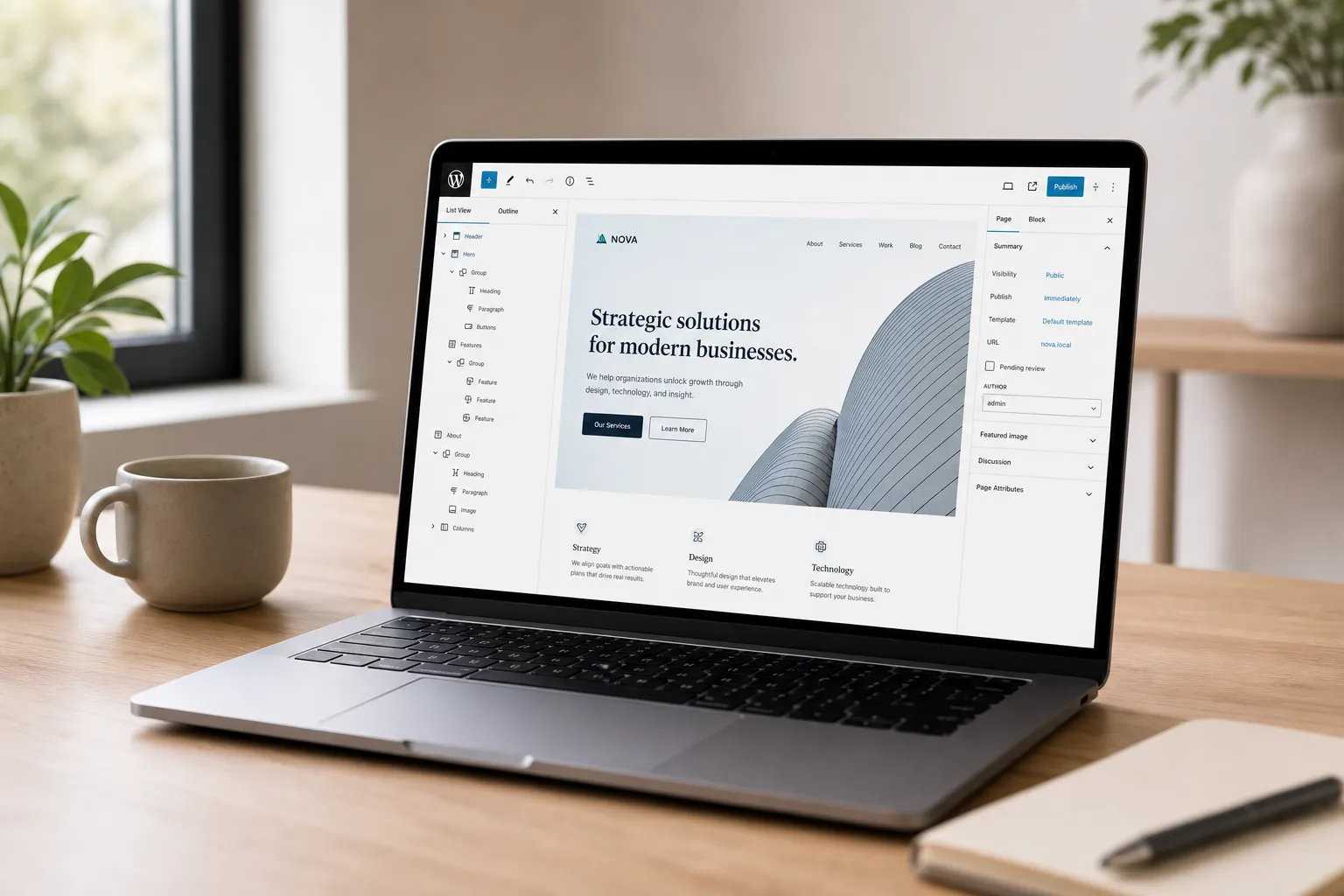
Modern WordPress ships with the block editor. It lets you assemble pages with blocks for headings, images, buttons, and layouts. Start with a clean, well-supported block theme and a library of reusable patterns for hero sections, feature grids, testimonials, and CTAs. This keeps the site fast, consistent, and easy to edit. Aim for Core Web Vitals targets: LCP under 2.5 seconds, CLS under 0.1, and INP under 200 ms on key templates.
When a page builder helps
Visual builders like Elementor or Beaver Builder can speed up complex landing pages when non-technical editors need granular control. The tradeoff is weight and potential lock-in. Extra scripts and styles can slow pages and complicate maintenance. If you choose a builder, standardize on it, create a small design system of reusable components, and disable unused widgets to reduce bloat.
Where custom development pays off
Use custom code when you need unique business logic or integrations. Examples include product configurators, calculated quotes, gated resources tied to your CRM, or links to ERP, PIM, and fulfillment. Keep it lean with custom post types, custom fields, and purposeful plugins instead of one-size-fits-all themes. The objective is to match your process, not squeeze into a demo template.
Avoid theme lock-in
Pick a theme for layout and typography, not features. Put features in plugins or small bespoke modules so you can redesign later without losing functionality. That separation also simplifies upgrades and improves performance.
The essential plugin stack and tooling
Plugins extend WordPress. Keep the list short, audited, and documented. One plugin per job is a good rule.
- SEO. Use a well-supported SEO plugin to manage titles, meta descriptions, sitemaps, and schema. Align templates with your keyword strategy and internal linking so editors do not reinvent patterns.
- Forms. Choose a reliable form plugin for contact, quotes, demos, and events. Route submissions to the right inbox and your CRM. Enable spam protection. Write clear confirmations that state next steps.
- Performance. Use server caching and page caching. Add image compression, WebP conversion, and lazy loading. Minimize and defer JavaScript. For global audiences, use a CDN. Track a performance budget for HTML, CSS, and JS on key templates.
- Backups and security. Automate daily off-site backups. Use a firewall and malware scanning. Enforce strong passwords and two-factor authentication.
- Analytics. Connect analytics that respects privacy and set up conversions for demo requests, contact forms, and completed checkouts. Create goal definitions that match your sales process.
- Ecommerce. For stores, use WooCommerce with only the extensions you need. Define product data and attributes, tax rules, shipping zones and rates, payment gateways, and transactional emails before launch. This is where focused ecommerce website development pays dividends.
Round out your stack with a staging site for safe testing, uptime monitoring, and basic error logging. Run Lighthouse and PageSpeed Insights on every new template. Include accessibility checks against WCAG 2.2 AA for color contrast, focus states, and keyboard navigation.
Run security, backups, and updates like a routine
Most breaches come from weak passwords, outdated software, or risky plugins. A simple routine blocks the majority of issues and protects your reputation.
- Backups. Schedule daily backups to an external location. Keep at least 7 days of restore points and a monthly archive. Test a full restore twice a year.
- Updates. Update core, themes, and plugins on a set cadence. Use a staging site for major releases. Remove plugins you no longer need. Pin versions for mission-critical plugins during campaigns.
- Access. Use role-based permissions. Give editors only what they need. Require two-factor authentication for admins. Audit users quarterly and remove stale accounts.
- Hosting. Choose hosting with SSL, server-level caching, automatic backups, modern PHP, and proactive security. Confirm response times and escalation paths with support.
- Monitoring. Enable uptime alerts, malware scans, and activity logs. Send notifications to a shared inbox so nothing is missed during vacations or turnover.
Document this as a checklist, assign owners, and review quarterly. Quiet, predictable governance beats emergency fixes and protects revenue.
Publish, measure, and grow
Editing power is why WordPress is popular in business. Guardrails keep that power from hurting design or speed while your team moves fast.
- Workflow. Define who drafts, who reviews, and who publishes. Set a publishing cadence. Use reusable blocks and patterns so layouts stay consistent across the site.
- Content standards. Write a short style guide for headlines, tone, image sizes, alt text, and internal links. Keep it pinned inside WordPress so it is easy to find.
- Media hygiene. Name files clearly, compress images before upload, and pick the right format. Use alt text that describes function and meaning, not decoration.
- Training. Short, task-based videos beat long manuals. Record how to add a product, post a blog, and update a hero. Update videos when templates change.
- Analytics in plain English. Track the path from visit to conversion. Measure form completion rate, add-to-cart rate, checkout completion, and time to first response on leads. Use these to prioritize fixes.
Tie content to distribution. Launch a case study or guide, then promote it with email and social. Map ad groups to one high-intent landing page each. If LinkedIn is a core channel, study the LinkedIn content automation case study: 0 to 40 SQLs in 90 days and model the same clarity in topic selection, offers, and cadence. The approach it showcases uses an AI-powered autopilot to analyze your audience, generate natural posts, create ready-to-use lead magnets, schedule a month of content, and track leads so your funnel runs with about 10 minutes of work per week. Mirror that structure on your site with themed content hubs, gated assets, and landing pages that load fast and answer objections.
If you prefer expert guidance, Red Studio builds custom, secure WordPress sites and provides training and care so owners can edit confidently without sacrificing speed or SEO. We plan information architecture, performance, accessibility, and measurement from the start so your site becomes a revenue asset, not a cost center.
Key takeaways
- Default to the block editor with a lean theme and reusable patterns. Keep a performance budget and meet Core Web Vitals.
- Install only essential, well-supported plugins. Document what each one does and who owns it.
- Run security, backups, and updates on a schedule. Test restores and audit user access quarterly.
- Give editors guardrails with roles, standards, and short how-to videos so speed does not break design.
- Connect content to distribution and measure conversions. Iterate weekly on what drives pipeline or sales.